
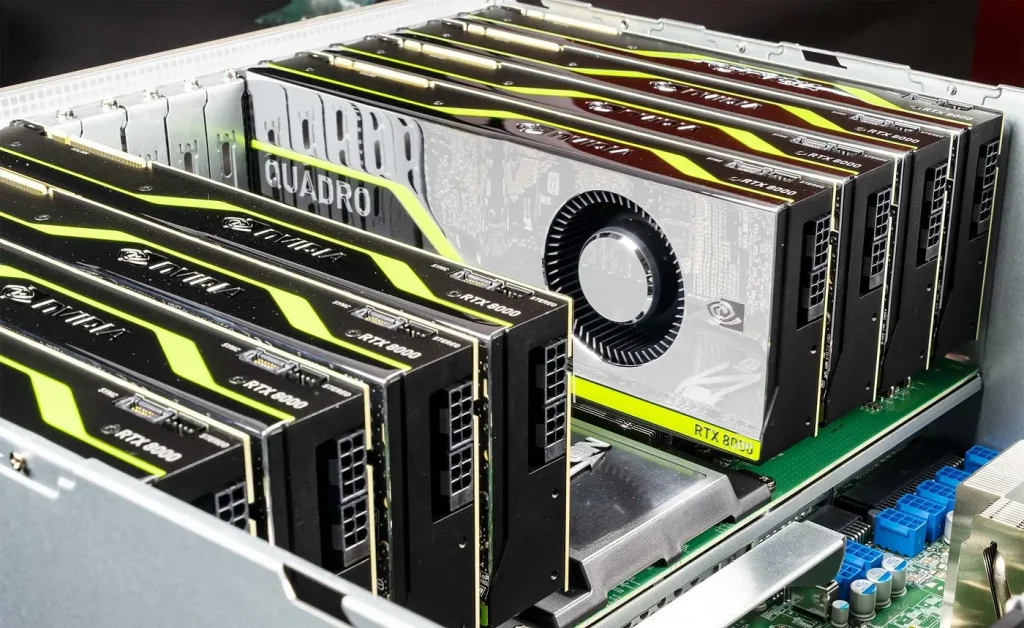
Nvitop stands apart by providing process-level insights into GPU usage, memory allocation, and temperature metrics. This level of detail depends on a specific NVIDIA driver component that bridges the gap between hardware and monitoring software. Understanding this dependency is essential for developers, system administrators, and AI practitioners who need reliable GPU telemetry.
Its ability to extract this level of information relies heavily on specific components of the NVIDIA driver stack, ensuring accurate and reliable telemetry. Understanding the NVIDIA driver dependency that Nvitop relies on is crucial for seamless installation, optimal performance, and precise GPU monitoring in both standalone and containerized environments.
What is Nvitop and Why It Matters
Before discussing driver dependencies, it’s worth exploring what makes Nvitop indispensable for GPU monitoring. Unlike generic tools that only display aggregate GPU usage, Nvitop offers granular visibility into individual processes and resource consumption. It’s designed for professionals who need to monitor GPU workloads in real-time and make informed decisions about performance optimization.
Key features of Nvitop:
- Real-time GPU utilization by process.
- Memory usage monitoring and allocation tracking.
- Temperature, power, and fan speed monitoring.
- Support for multi-GPU setups.
- Compatibility with containerized environments such as Docker.
This level of detail is achieved through a close interaction with the NVIDIA driver layer. Without the proper driver components, Nvitop cannot access the metrics it needs.
NVIDIA Drivers
NVIDIA drivers are the foundation of any GPU-enabled system. They provide the critical interface between the operating system, applications, and GPU hardware. Modern drivers include multiple libraries and APIs designed to allow software like Nvitop to extract detailed telemetry.
Why NVIDIA drivers are essential for Nvitop:
- They provide low-level access to GPU hardware.
- They support CUDA and other compute-intensive frameworks.
- They expose APIs that enable real-time monitoring and management.
Installing an incompatible or outdated driver can result in missing metrics, errors, or software crashes. This makes understanding Nvitop’s dependency on the NVIDIA driver a crucial step.
NVML: The Core NVIDIA Driver Dependency
The most critical dependency for Nvitop is the NVIDIA Management Library (NVML). NVML is a C-based API bundled with NVIDIA drivers that allows software to monitor and manage GPUs programmatically.
How NVML Powers Nvitop
NVML provides detailed GPU information including:
- Device memory usage.
- Utilization per GPU and per process.
- Temperature and thermal throttling data.
- Power consumption and fan speed.
- Driver version and GPU architecture details.
Nvitop relies on NVML to query these metrics in real-time, making it possible to track GPU workloads accurately. Without NVML, Nvitop cannot initialize or display GPU statistics, rendering it ineffective.
Key points about NVML:
- NVML requires the NVIDIA driver to be installed and correctly loaded.
- Driver version and NVML compatibility are crucial for monitoring newer GPU architectures.
Installing Nvitop: Driver Requirements
Getting Nvitop running smoothly is more than just installing Python packages. The underlying NVIDIA driver and NVML library must be correctly installed and compatible with the system.
Essential requirements include:
- Up-to-date NVIDIA driver supporting NVML.
- Proper kernel module loading on Linux systems.
- Matching CUDA versions for systems running GPU compute workloads.
Failing to meet these requirements may result in errors such as “Failed to initialize NVML” or missing GPU metrics.
Diagnosing Driver Issues
Even with the correct installation, GPU monitoring can fail if driver configurations are misaligned. Common symptoms include:
- Nvitop reporting zero GPU utilization.
- Missing processes in the monitoring output.
- Crashes when querying memory or temperature.
Steps to resolve driver issues:
- Verify GPU recognition with
nvidia-smi. - Check NVML library availability (
libnvidia-ml.soon Linux). - Confirm user permissions for accessing GPU devices.
- Update the NVIDIA driver to the latest compatible version.
These steps ensure Nvitop can fully leverage NVML to monitor GPU performance.
NVML vs Other NVIDIA APIs
Nvitop’s reliance on NVML is deliberate. While NVIDIA offers other APIs, each serves different purposes:
- CUDA APIs: Primarily for compute operations, not monitoring.
- NVAPI (Windows only): Designed for GPU management on Windows systems.
- DCGM (Data Center GPU Manager): Advanced monitoring for enterprise clusters.
NVML is ideal for Nvitop because it is lightweight, reliable, and cross-platform for Linux environments, making it the perfect choice for real-time GPU monitoring.
Multi-GPU Systems: Why Driver Compatibility Matters
In multi-GPU setups, proper driver installation is even more critical. Nvitop relies on NVML to enumerate devices, monitor each GPU separately, and provide process-level metrics.
Best practices for multi-GPU environments:
- Ensure drivers support all GPU models in the system.
- Use NVML for accurate per-GPU statistics.
- Monitor proper device indexing to avoid confusion in multi-process workloads.
Incorrect driver versions can cause Nvitop to misreport usage or fail to detect GPUs, especially in complex systems.
Containerization and Nvitop
As AI and machine learning workflows move toward containerization, understanding Nvitop’s dependency becomes vital. Within containers, the NVIDIA driver and NVML library must be exposed properly to the runtime.
Two common approaches:
- Use NVIDIA Container Toolkit to provide driver access inside containers.
- Ensure container images align with host system NVML library paths.
Without proper access, Nvitop cannot query GPU metrics, making containerized monitoring ineffective.
Security and Permissions
Accessing GPU data via NVML requires certain permissions. On Linux, GPU devices are generally located under /dev/nvidia*, and users may need elevated privileges to access them.
Recommendations:
- Add users to the
videogroup for GPU access. - Provide GPU access flags when running containers.
- Avoid running monitoring tools as root unless necessary.
Proper configuration ensures reliable monitoring without compromising system security.
Advanced Use Cases for Nvitop
With NVML and the correct driver installed, Nvitop can be used for advanced GPU monitoring and optimization:
- Automated alerts: Trigger notifications when GPU memory or temperature exceeds thresholds.
- AI/ML profiling: Identify bottlenecks during model training or inference.
- Cluster monitoring: Combine outputs from multiple nodes to analyze GPU utilization across a system.
These tasks depend entirely on NVML and the NVIDIA driver, reinforcing why understanding this dependency is crucial.
Keeping Nvitop Future-Proof
As NVIDIA introduces new GPUs and driver updates, maintaining compatibility is critical for Nvitop users. Updating drivers ensures access to the latest NVML features and prevents potential issues with new hardware.
Best practices:
- Regularly update NVIDIA drivers for all GPUs.
- Verify NVML functionality after driver updates.
- Track NVML changes that may affect monitoring metrics.
This proactive approach ensures Nvitop continues to provide accurate, reliable GPU monitoring for years to come.
Conclusion
Nvitop relies on the NVIDIA Management Library (NVML) provided by the NVIDIA driver stack to deliver precise, real-time GPU monitoring. Proper installation of compatible drivers, correct NVML access, and appropriate system permissions ensure that Nvitop can track GPU utilization, memory usage, and other critical metrics accurately. Maintaining updated drivers and monitoring NVML compatibility allows Nvitop to function reliably across multi-GPU setups, containerized environments, and demanding computational workloads. Leveraging these dependencies effectively enables users to optimize GPU performance, manage resources efficiently, and gain complete visibility into system operations.